What if your child ticks off jobs without doing them?
By Rachel Hassett ·
A tick shows that a card was tapped. Here’s how to reconnect the board with the actual job, including how to undo a completed card in All Set.
If your child ticks off jobs before doing them, check what is unfinished, put the relevant jobs back on the board and walk through one together. Make the rule clear: do the job first, then tick it off. A completed card records a tap; it cannot prove that the real-world job happened.
Before deciding why your child tapped it, check whether they understood the job, needed help, pressed the wrong card or were trying to get to the sounds. You can ask and observe without turning the whole morning into a courtroom.
Start with the job that still needs doing
Look at what is unfinished and give your child a specific next instruction.
For example, if “shoes on” is marked done but the shoes are still by the door, you could say: “Your shoes are still here. Shoes on first, then we’ll tick that one.”
Keep your attention on the job in front of you rather than asking your child to explain every tap they made.
If they cannot manage the fastening or find the shoes, help with that part. A picture and a tick box do not remove the need for a grown-up.
Check that “done” means the same thing to both of you
A task label can mean different things unless you show what finishing looks like.
For “pack school bag”, does your child need to put the lunchbox inside, collect a reader folder, zip the bag or do all three? If they have put one thing in, they might need a clearer instruction for what comes next.
Walk through the job together. Show the finished result, then explain when to tap the card. Raising Children Network’s guidance on instructions recommends clear, short language and one instruction at a time, especially for younger children.
If the wording is too broad, use a specific action such as “lunchbox in bag”. Choose a picture that matches the instruction. Add detail where it explains the job, without giving every movement its own card.
How do you undo a job in All Set?
In the child’s All Set view, double-tap the completed job card to undo it. A single tap on an unfinished card marks it done. A single tap on a completed card does not undo it.
Work through the incorrectly completed jobs with your child, then help them finish the next real job before ticking it again. You do not need to start the whole routine again to correct one card.
The Hear it button is separate: it reads the instruction aloud without marking the task complete.
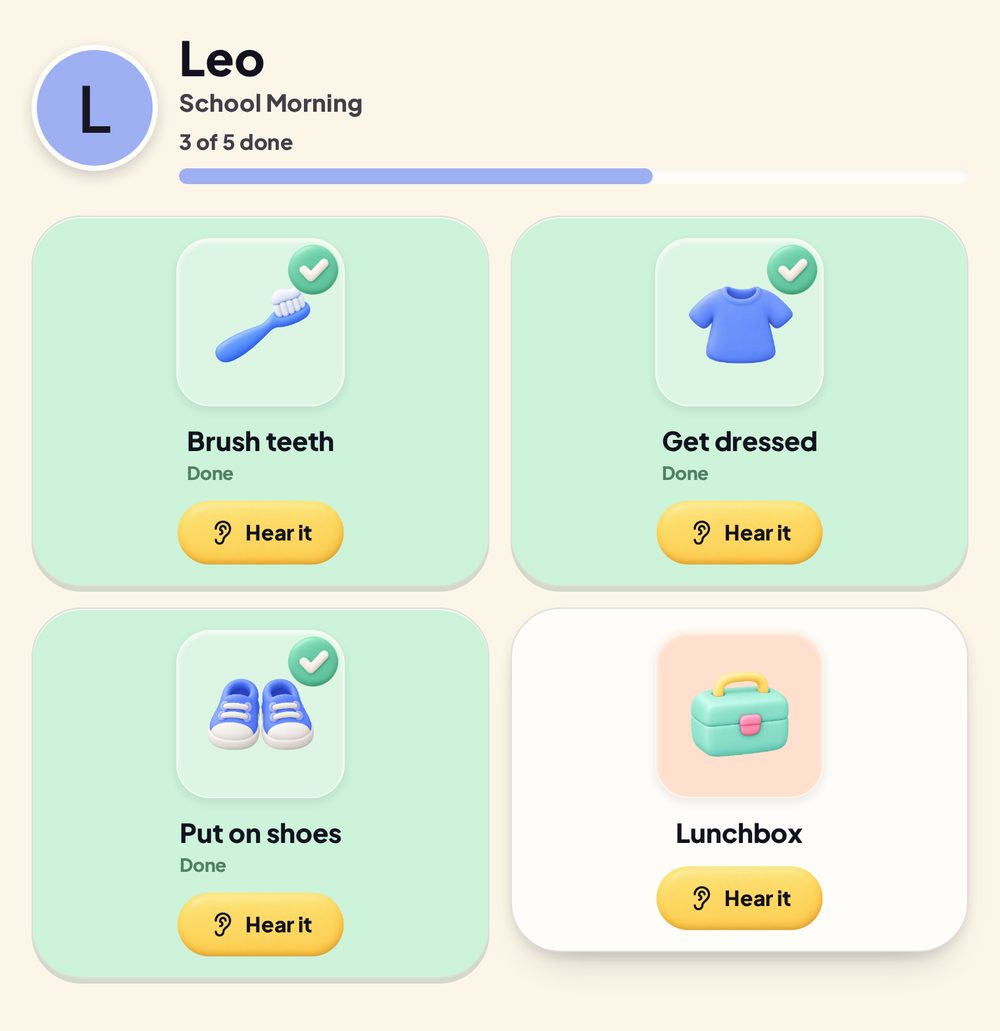
Example child view using fictional family data. The completed indicators show jobs marked done in the app. This screenshot does not verify that any physical task happened.
A worked example: the board says done, but the shoes are not on
Here’s how that could look for the shoes step:
- Check the job together. The shoes are still by the door, so “shoes on” is unfinished.
- Double-tap that completed card to put it back in the unfinished state.
- Show your child the shoes and help with any part they need, such as the fastening.
- Once the shoes are on, let them tap the card to mark the job done.
Next time, you can stay nearby for that step and check the finished job together. You are showing how the board relates to what happens in the room.
Will putting the jobs in order stop this?
All Set’s fixed-order setting makes the next unfinished job available and keeps later unfinished jobs locked. It controls which card can be completed next.
It does not check whether the child has actually put on their shoes, brushed their teeth or packed a bag. A child could still tap each available card in sequence without doing those jobs.
Use fixed order when the sequence itself matters. Use adult help and clear instructions for the parts your child is learning. The fixed-order and any-order guide explains the setting without treating it as proof that a job happened.
What if your child is mainly tapping for the sounds?
Ask them about it and watch one job together, rather than assuming the sounds explain every tap.
If that is what you notice, practise the sequence with them: hear or look at the job, do it, then tap. In All Set’s Parent settings, completion sounds and visual effects can be adjusted separately. If you choose to turn off a completion sound, that setting still will not verify the task for you.
Notice the finished action when it happens. “Your shoes are on and you’ve ticked them” connects the card to the actual job. You do not need to invent a prize scheme to explain how the board works.
What if it keeps happening?
Review one difficult step before rebuilding the entire routine:
- Is the wording clear enough to act on?
- Does the picture show the same job?
- Can your child do it, or do they need help?
- Have you shown when a card should be marked done?
- Are they tapping their own card in the right child view?
The family and child view guide explains how each child’s jobs and progress are separated. For a broader check of a routine that is not being used as intended, try the routine-chart troubleshooting guide.
A useful next attempt can be one clearly explained job, done together, followed by its tick. The rest of the routine can wait while you work out which part needs more support.