What should be on a school morning routine for kids?
By Rachel Hassett ·
Last reviewed
Build a clear school-morning routine for children with manageable steps, useful pictures and separate jobs for siblings.
A school-morning routine should include the jobs your child needs to finish before leaving home, in words and pictures they can recognise quickly. Start with the essentials and add child-specific jobs only when they are genuinely needed.
A simple school-morning routine
Your first version might include:
- Get dressed.
- Eat breakfast.
- Brush teeth.
- Go to the toilet.
- Brush or do hair.
- Put on shoes.
- Pack the school bag.
- Collect the lunchbox and drink bottle.
That is an example, not a compulsory list. Your child may need fewer steps, a different order or help with particular jobs.
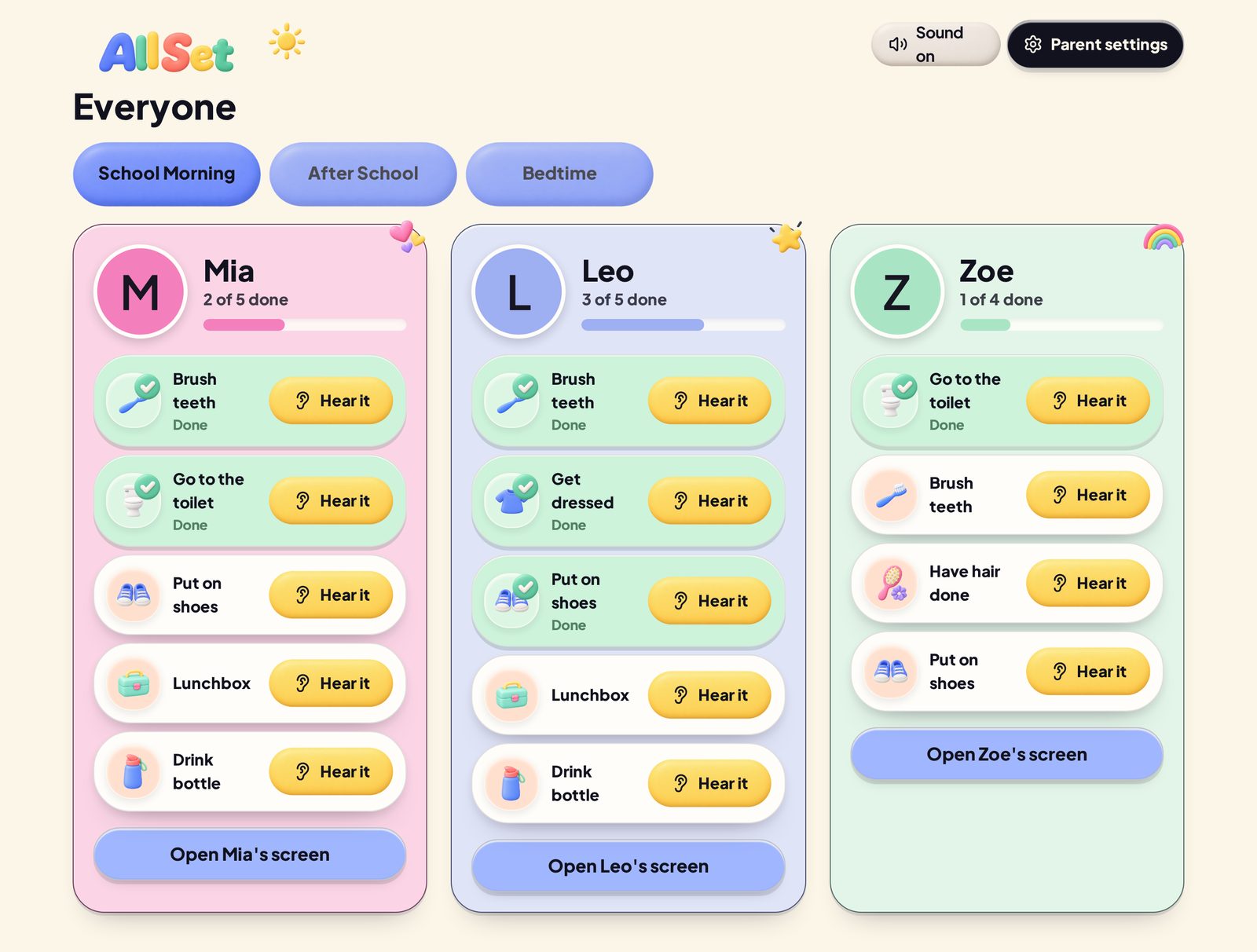
Example family board. Children shown are fictional.
Start with the instructions you already repeat
Listen for the jobs you say every morning. Those are usually the first jobs that belong on the routine.
Keep each instruction short. “Shoes on” is easier to scan than a full explanation of where the shoes live and why we cannot wear gumboots to school today.
If one job contains several decisions, split it. “Get ready” is vague. “Get dressed” and “put on shoes” give the child two visible actions.
How many steps should you add?
Use the smallest list that covers the real routine.
A long board can feel like a lot before the morning has properly started. Begin with the repeated essentials, then watch where the gaps are. You can add the reader folder or sports uniform once the main sequence makes sense.
This is practical guidance, not a fixed number that suits every child.
Should siblings have the same morning routine?
They can share the same routine without having identical jobs.
In All Set, parents choose which children take part and can untick a child from any job that does not apply to them. The family can share “breakfast” and “brush teeth”, while one child has “pack library book” and another has “bring daycare hat”.
The Everyone screen keeps each child’s progress separate. Read how All Set works for more than one child.
What pictures should you use?
Choose pictures that make the job obvious to your child.
A toothbrush, shoes, lunchbox and school bag are usually easier to recognise than decorative images. If a general picture is not clear enough, a photo of the child’s own bag or uniform may make more sense.
All Set includes a built-in picture library. Parents can also upload their own photos. If a picture is missing, they can ask for it through Parent settings > Feedback. See how to choose clear routine pictures.
Does the order matter?
Only make the order strict when it needs to be.
Socks need to go on before shoes. Packing a school bag might happen at any point before leaving. All Set can require jobs to be completed in the displayed order or allow them in any order, depending on the routine setup.
The board should make the morning easier to follow. It does not need to referee whether hair happened before the lunchbox. Read when fixed order or any order makes sense.
What if your child cannot read yet?
Use clear pictures and spoken tasks.
Each All Set task has a Hear it button. A child can tap it to hear the instruction aloud, then tick off the job when it is done. Read more about using All Set before a child can read.
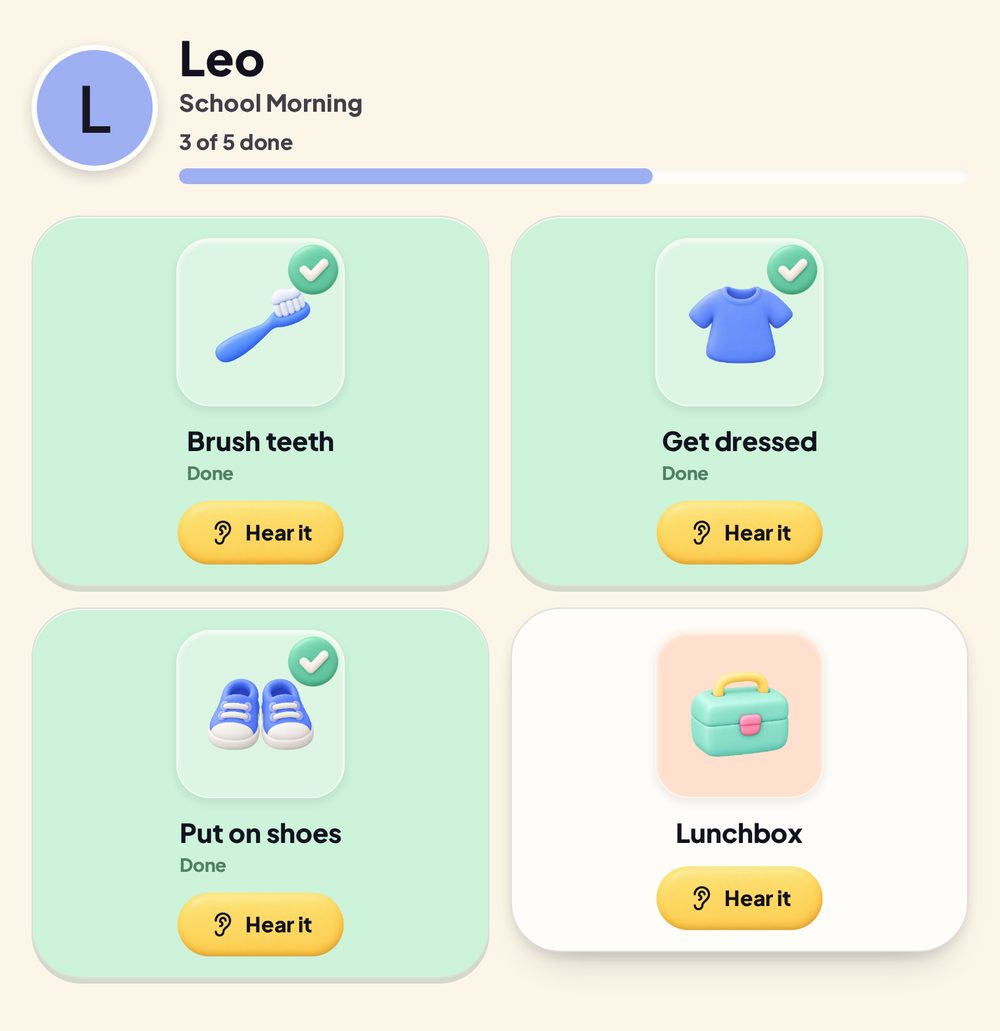
Example child view. Child shown is fictional.
Review the routine after a week
Look for jobs that are missing, unclear or always need adult help.
You may need to change a picture, shorten an instruction, split one job into smaller steps or remove a step that adds no value. The routine is allowed to change because your actual morning is more important than preserving version one. If your child stops using it, work through the routine-chart checks.
See how All Set works and check whether your family’s device is suitable.