Visual routine board versus a printable or Velcro chart: which is better?
By Rachel Hassett ·
Last reviewed
Compare digital visual routine boards with printable and Velcro charts, including cost, effort, pictures, audio, progress and device needs.
A printable, Velcro chart and digital visual routine board can all show a child what needs to happen next. The better choice is the one your child can understand and your family can keep using without creating another full-time job for you.
Printable, Velcro or digital: the quick comparison
| What matters | Printable chart | Velcro chart | Digital board with All Set |
|---|---|---|---|
| Initial setup | Find or make pictures, then print the chart | Print, cut, laminate and attach the pieces | Create and edit the routine in a web browser |
| When the routine changes | Update and print a new version | Swap pieces, within the chart’s available space | Edit jobs and choose which days a routine appears |
| How the child marks progress | Point, tick or mark the printed steps | Move or remove a physical piece | Tick off jobs and see progress update |
| Spoken instructions | No built-in audio | No built-in audio | Tap Hear it to hear the task aloud |
| More than one child | May need columns or separate charts | May need separate pieces, sections or charts | Shared family screen and individual child views |
| Device and internet | Not needed | Not needed | Compatible device, supported browser and internet connection required |
What do all three options have in common?
They move a repeated routine out of your head and into a place the child can see.
You can use any of them for school mornings, bedtime, after school, chores or getting ready for an activity. A child can look at the steps instead of waiting for the next instruction to arrive from Mum.
That does not mean the child will suddenly love every job. The board makes the sequence visible. It does not make teeth less tooth-brushy.
When does a printable routine chart work well?
A printable chart is inexpensive, does not need a device and can be placed exactly where the routine happens. It can be a good starting point when the steps rarely change.
It may suit your family if:
- you want an offline option
- your child is happy to point to or mark the steps
- one routine applies to one child
- you do not need spoken instructions
- you are comfortable printing a new version when the routine changes
The work sits at the beginning. You need to find or make the pictures, print the chart and replace it when the jobs change.
What does a Velcro chart add?
Velcro pieces give the child something physical to move when a job is finished. For some children, that hands-on action is useful and satisfying.
The trade-off is maintenance. Pieces can go missing, the chart has a fixed amount of space and changing several children’s routines can mean more printing, cutting, laminating and Velcro dots than anyone planned for their Tuesday night.
What does a digital visual routine board add?
In All Set, you can change the routine without remaking a physical chart.
In All Set, parents can create and edit routines, choose the children involved, assign different jobs to different children and choose which days a routine appears. Children can see a picture for each task, tap Hear it to hear the instruction and tick off finished jobs.
Progress updates on the child and family screens. Completed jobs can trigger silly sounds and visual celebrations, depending on the household’s settings.
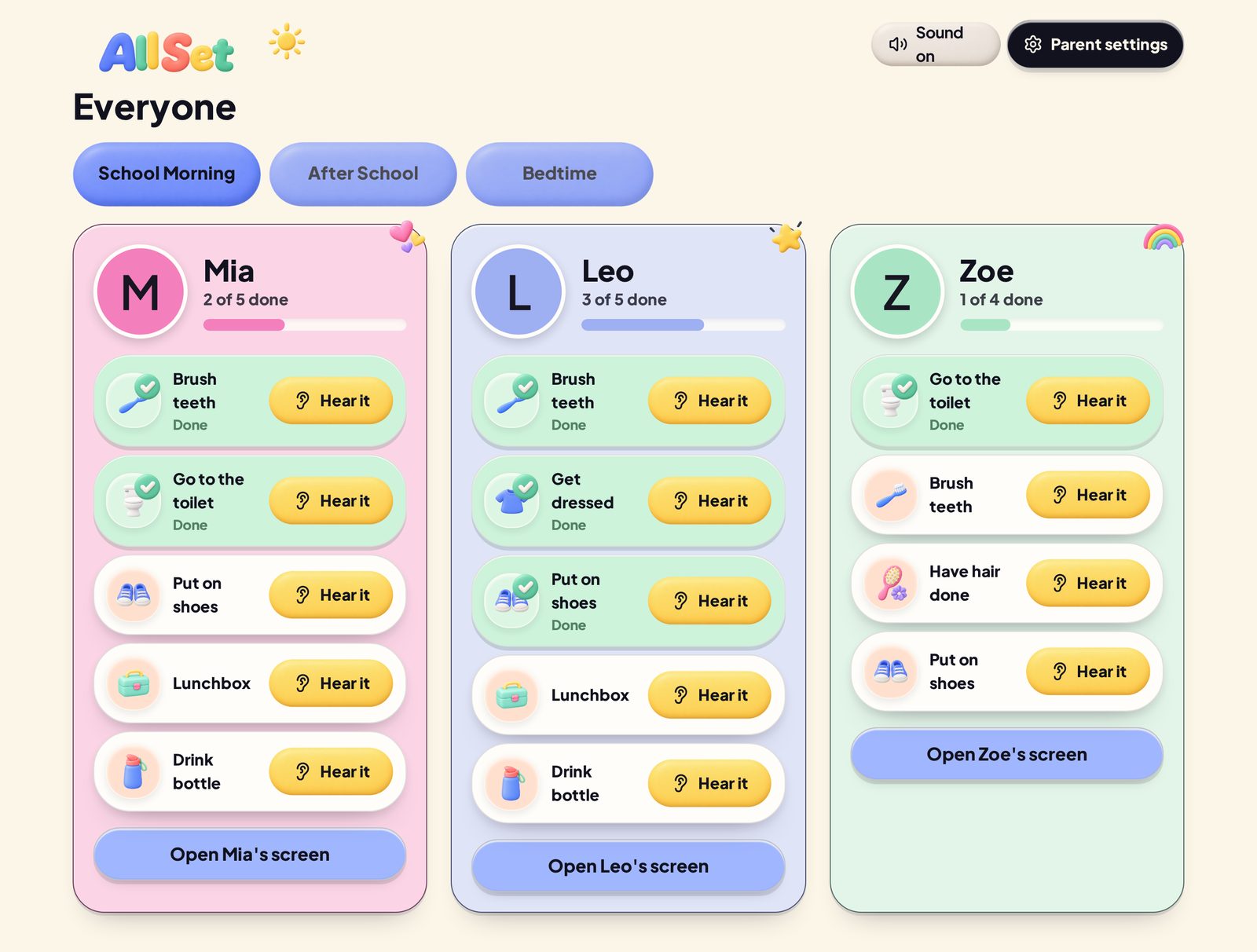
Example family board. Children shown are fictional.
The trade-off is that All Set needs a compatible device, a supported browser and an internet connection. It is not an offline printable and it is not a native mobile app.
What costs should you compare?
For a printable or Velcro chart, include the pictures, printing, materials and replacement pieces you need. A reusable chart may not need reprinting every time a job changes.
All Set is a paid membership, so include the ongoing membership and a compatible device with internet access. Check the current membership options before deciding. If you already have a suitable device, you do not need to buy another just for the board.
Which option is easiest for more than one child?
A paper chart can work for siblings, but it may need separate columns, separate pieces or separate charts to keep each child’s jobs clear.
All Set has a shared family screen and an individual screen for each child. Parents can keep everyone in the same routine while assigning a particular job to only the child who needs it.
That is useful when “brush teeth” belongs to everyone but “pack library book” definitely does not. See how the shared routine and separate child jobs work.
Does the child need to be able to read?
Pictures can make any of these formats useful before a child can read. An adult may still need to explain the pictures or help with a job.
A digital board can add spoken audio. In All Set, the child can tap Hear it when they need the task read aloud. See how children can use All Set before they can read.
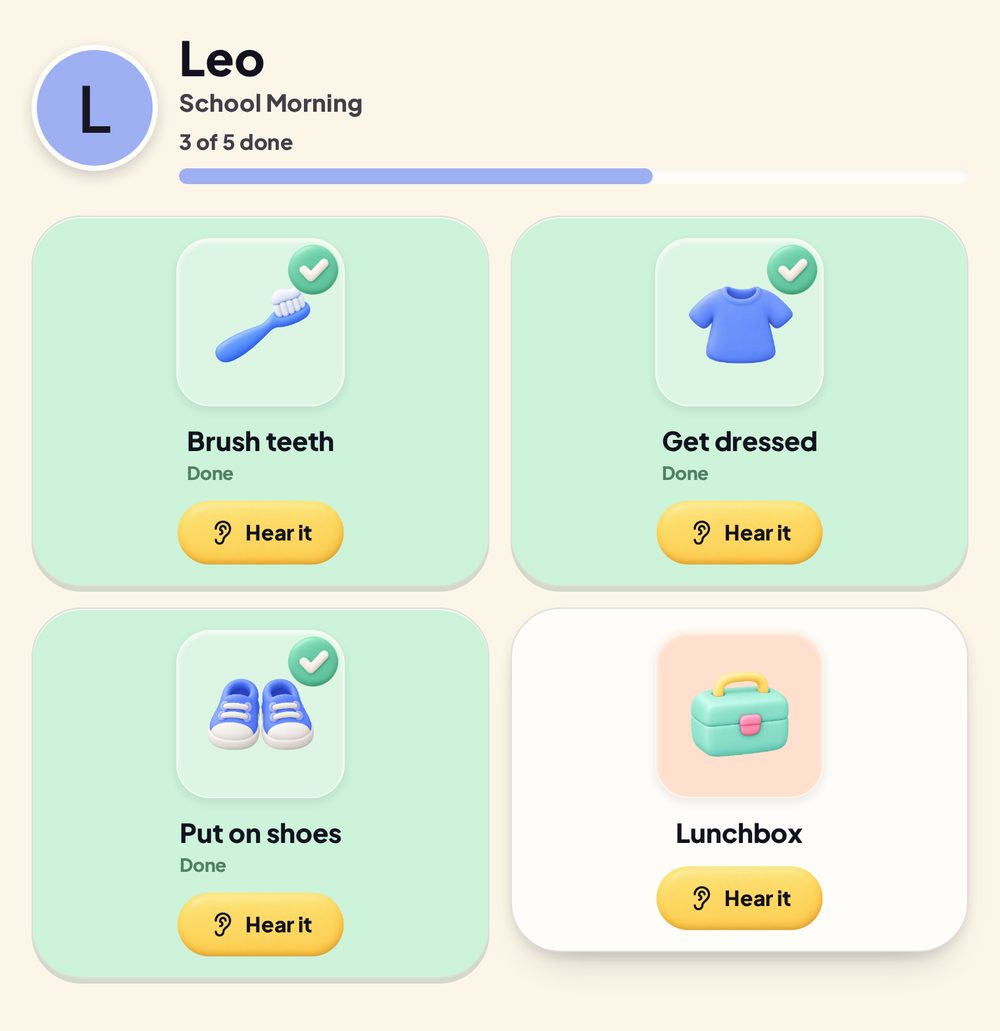
Example child view. Child shown is fictional.
Which one should you choose?
If you mainly need to keep track of appointments and activity times, compare a routine board with a shared family calendar before choosing a chart.
Choose a printable chart when you want something simple, offline and mostly fixed. The picture-selection guide can help with either paper or digital routines.
Choose Velcro when your child enjoys moving physical pieces and you are happy to maintain them.
Choose a digital board when routines change, several children need separate jobs or pictures and spoken tasks would be useful.
There is no prize for choosing the most elaborate system. The useful one is the one that remains visible after the first enthusiastic week.
See how All Set works and check the supported device information before deciding.